New Customer?
Create your accountNo products
Prices are tax included
TINYSINE TSA1453B DSP Module Bluetooth 5.1 TWS

By buying this product you get 9 loyalty points

![[GRADE A] AUNE AR5000 Open-back Dynamic Headphone Ø50mm 28Ω 108dB 5Hz-41Khz](https://www.audiophonics.fr/74527-thumb_default/aune-ar5000.jpg)

![[GRADE C] HIFIBERRY DIGI+ SPDIF Digital Interface Board for Raspberry Pi 24bit 192kHz](https://www.audiophonics.fr/74409-thumb_default/hifiberry-digi-spdif-digital-interface-board-for-rasberry-pi-24bit-192khz.jpg)
![[GRADE B] AUDIOPHONICS MPC6 V2 Power Distribution Case 6 ports Black Aluminium](https://www.audiophonics.fr/62549-thumb_default/audiophonics-mpc6-v2-power-distribution-case-6-ports-black-aluminium.jpg)


![[GRADE S] SHANLING M6 PRO HiFi DAP Compact Music Player DAC 2x AK4497 32bit 768kHz DSD128 Titanium](https://www.audiophonics.fr/72951-thumb_default/shanling-m6-pro-hifi-dap-compact-music-player-dac-2x-ak4497-32bit-768khz-dsd128-titanium-sbs.jpg)


Accessories for this product
Find here a selection of useful and/or essential accessories for this product. These are specially selected by the Audiophonics team according to the characteristics of the product.


TinySine TSA1453B Module Bluetooth 5.1 ADAU1452 Sigma Studio (TWS)
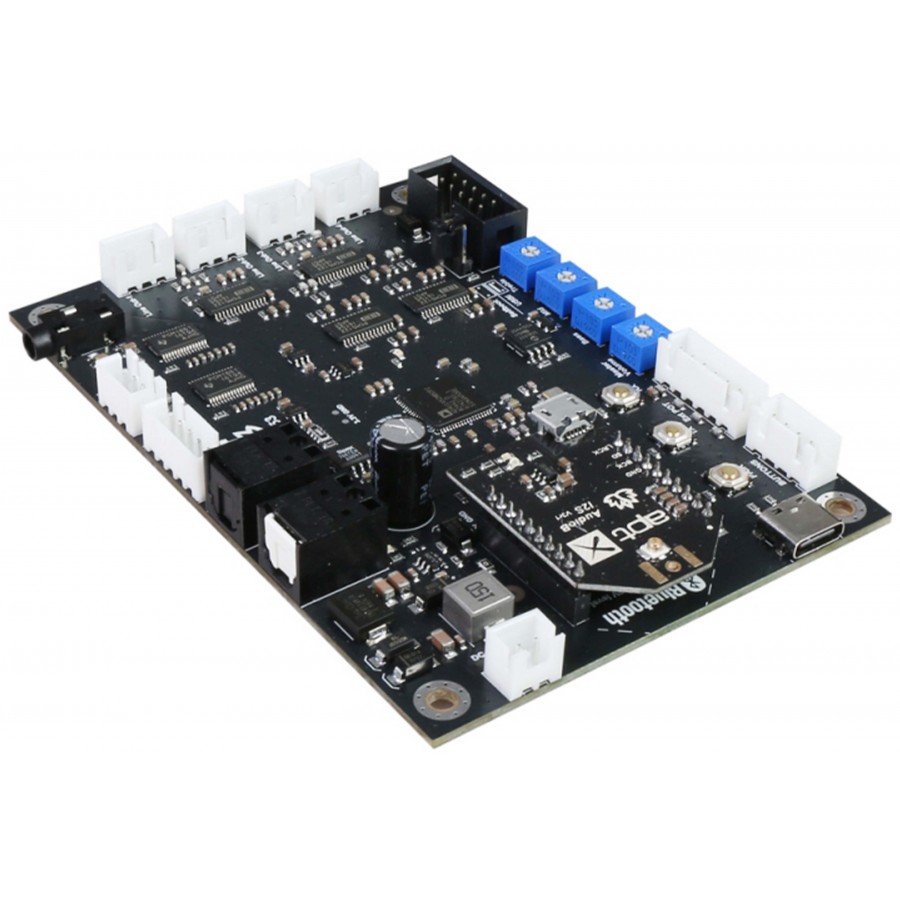
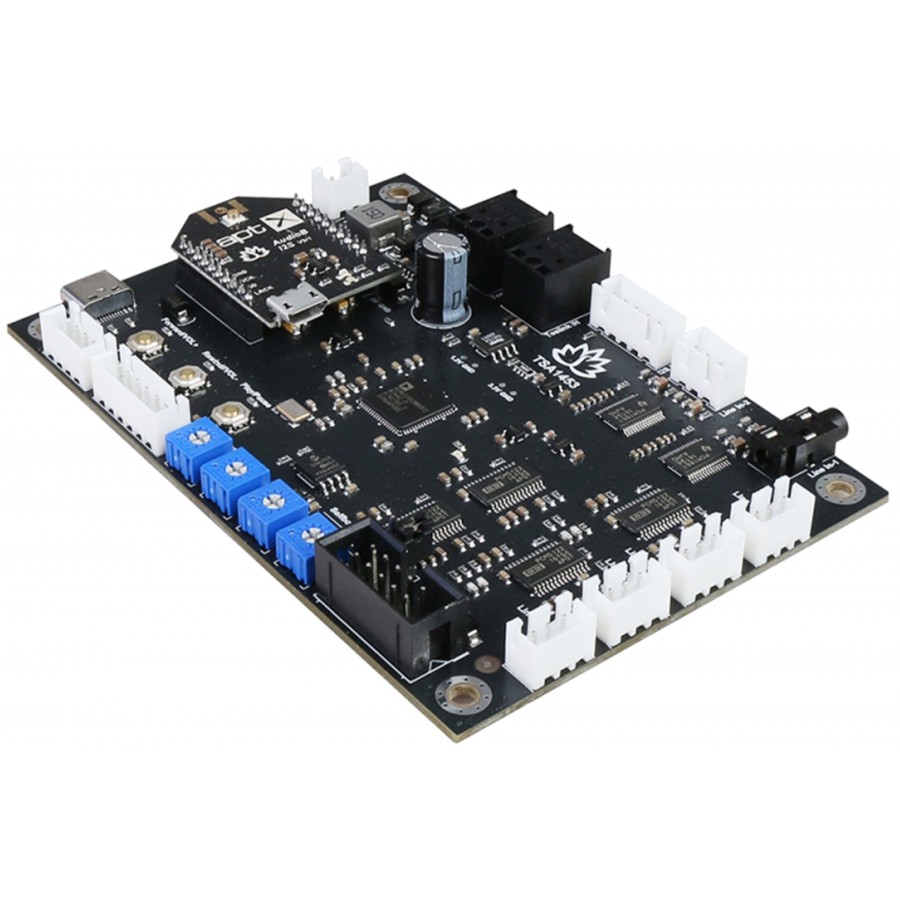
The Tinysine TSA1453B is an advanced audio DSP module that integrates both high-quality Bluetooth connectivity and a digital signal processor. It features an AptX-compatible AudioB I2S v3 module, enabling enhanced wireless audio transmission from a smartphone, computer, or any other Bluetooth-compatible device. Pairing is quick and easy, with no PIN code required. Once powered up, the module appears as TSA1453B in the list of available Bluetooth devices, allowing immediate music playback.
The module can be powered either by a USB-C cable or by an external power supply between 9V and 30V DC, making it compatible with many configurations and applications. It is a complete audio DSP module capable of handling complex processing thanks to its Analog Devices ADAU1452 main processor, renowned for its performance in professional and audiophile audio applications.
The TSA1453B has four stereo analog outputs and a Toslink optical digital output, allowing for great flexibility in integration into active audio systems. It is particularly suited to multi-way active speaker designs, such as two-way or three-way systems with active filtering, bass enhancement, or conversion from a 2.0 to a 2.1 stereo system.
A default program is preloaded into the module, allowing immediate use without software configuration. Four integrated potentiometers provide direct access to overall gain adjustment as well as bass, midrange, and treble controls, offering simple and intuitive control over sound reproduction. For users who want to go further, the module includes a SigmaStudio-compatible debug port and can be programmed using a USBi programmer (sold separately), providing access to advanced features such as equalization, active filtering, digital crossovers, bass enhancement, multiband dynamic processing, and delay compensation.
With its scalable design, Bluetooth AptX connectivity, and powerful DSP, the TSA1453B is a comprehensive and versatile solution for DIY audio projects, active audio systems, and applications requiring high-performance, customizable digital signal processing.
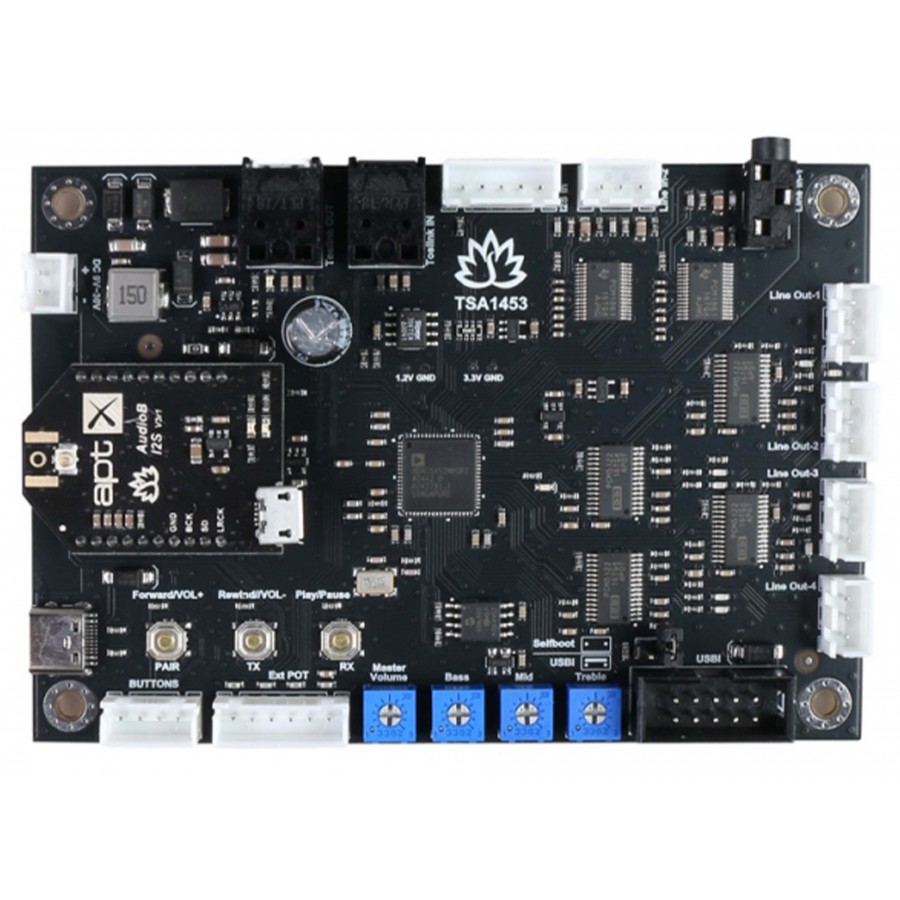
TinySine TSA1453B module overview
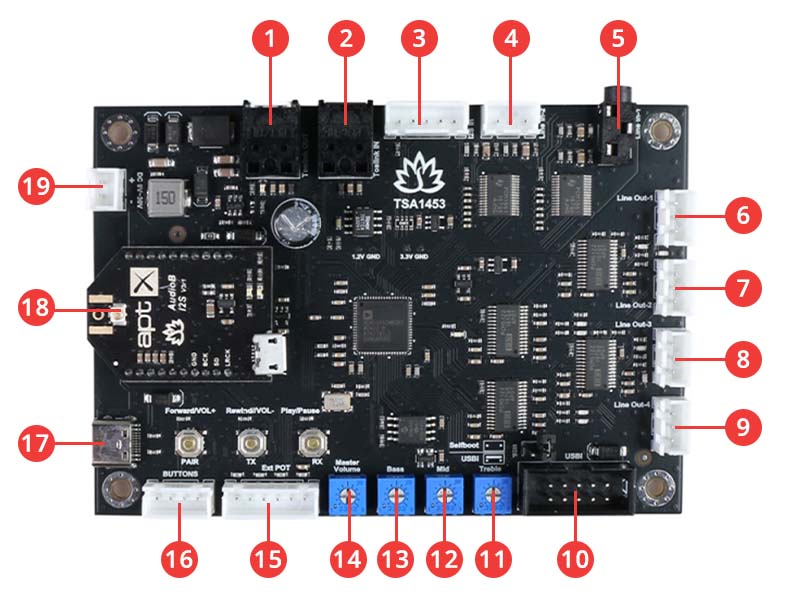
| 1 | Optical Toslink output |
| 2 | Optical Toslink input |
| 3 | I2S input |
| 4 | Line 2 input |
| 5 | Line 1 input |
| 6 | Analog line 1 output |
| 7 | Analog line 2 output |
| 8 | Analog line 3 output |
| 9 | Analog line 4 output |
| 10 | DSP programming port |
| 11 | Treble control |
| 12 | Medium control |
| 13 | Gain control |
| 14 | Potentiometer port |
| 15 | Port for external buttons |
| 16 | External power port |
| 17 | USB-C power port |
| 18 | Bluetooth module |
| 19 | DC power port |
Technical characteristics
| Specifications | |
|---|---|
| Product type | DSP module |
| DSP | ADAU1452 |
| Output level | 2Vrms |
| Input signal range | 2Vrms |
| Input resistance | 20kΩ |
| Software compatibility | Sigma Studio |
| I2S sampling rate | 48KHz |
| I2S logic level | 3.3V |
| Bluetooth version | Bluetooth 5.1 |
| Supported Bluetooth Codecs | aptX aptX HD SBC AAC |
| Effective transmission distance | 80-100m |
| General | |
|---|---|
| Power supply | 5V via USB-C or 9-30V DC |
| Energie consumption | 23mA at 12 V CC |
| Dimensions | 110 x 75 x 15mm |
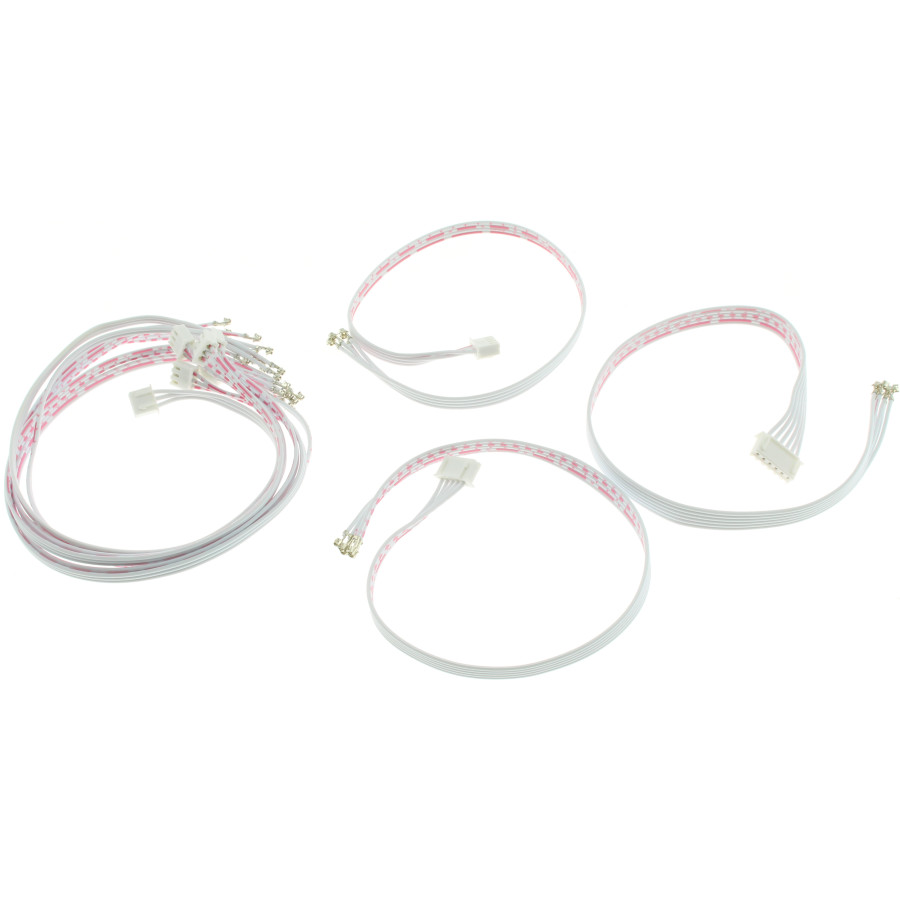
| Package | 1x TinySine TSA1452B 1x 6-pin ribbon cable 1x 5-pin ribbon cable 1x 4-pin ribbon cable 1x 5-pin ribbon cable 5x 3-pin ribbon cable |
Definitions of the pins on the TinySine TSA1453B module
| Port name | Pin name | Direction | Description |
|---|---|---|---|
| TOSLINK input | SPDIFIN | Input | |
| TOSLINK output | SPDIFOUT | Output | |
| External potentiometer port | ADC0 | Input | Gain control |
| ADC1 | Input | Treble control | |
| ADC2 | Input | Medium control | |
| ADC3 | Input | Bass control | |
| Line 1 input | BCLK_IN0 | Input | |
| LRCLK_IN0 | Input | ||
| SDATA_IN0 | Input | ||
| Line 2 input | BCLK_IN1 | Input | |
| LRCLK_IN1 | Input | ||
| SDATA_IN1 | Input | ||
| I2S input | BCLK_IN2 | Input | |
| LRCLK_IN2 | Input | ||
| SDATA_IN2 | Input | ||
| Bluetooth input | BCLK_IN3 | Input | |
| LRCLK_IN3 | Input | ||
| SDATA_IN3 | Input | ||
| Analog line 1 output | Output | ||
| Analog line 2 output | Output | ||
| Analog line 3 output | Output | ||
| Analog line 4 output | Output |
How to use the TinySine TSA1453B module
The TSA1453 module can be used alone or with multiple cards depending on the firmware installed. In standard mode, simply power the module and it will become detectable via Bluetooth under the name TSA1453. Once connected from a smartphone or computer, music can be played immediately without any complex configuration.
With the TWS firmware, two modules can be paired to work together. One acts as the main card, connected to the smartphone, while the other automatically receives the audio signal. This configuration allows synchronized playback on two amplifiers or two audio systems. Connection and disconnection between the two cards is done simply using the built-in buttons.
With Party firmware, the TSA1453 allows music to be streamed to multiple modules simultaneously. One card acts as the main Bluetooth transmitter, while the other cards receive the audio signal wirelessly. Modules can be added or removed at any time, making this mode particularly suitable for multi-speaker systems or extended audio streaming.
1. Powering up and Bluetooth pairing (TWS – single card)
Power up the TSA1453 module.
The red LED will flash slowly, then the red and blue LEDs will flash alternately.
On your smartphone, computer, or tablet, search for a new Bluetooth device.
Select TSA1453 from the list of available devices.
The blue LED will flash to indicate that the connection has been established.
Audio playback can now begin.
2. TWS connection with two modules
2.1 Master card configuration
Power up the first TSA1453 module.
Wait for the red and blue LEDs to flash alternately.
Connect your smartphone or computer to the TSA1453 Bluetooth device.
Audio playback will start.
If only one card is used, no further action is required.
To activate TWS master mode, press and hold buttons S1 and S3 for one second.
The red and blue LEDs will flash alternately to confirm master mode.
2.2 Slave card configuration
Power up the second TSA1453 module.
Wait for the red and blue LEDs to flash alternately.
Press and hold buttons S1 and S2 for one second to activate TWS slave mode.
The red and blue LEDs will flash alternately to confirm slave mode.
The master card automatically searches for the slave card for approximately thirty seconds.
Once the connection is established, the slave card also transmits the audio signal.
2.3 Disconnecting TWS
Press and hold buttons S2 and S3 for one second on one of the cards.
The TWS connection is interrupted.
3. Bluetooth pairing (Party – single card)
Power up the TSA1453 module.
The blue LED flashes three times per cycle.
Press the S3 button twice to enter pairing mode.
A voice prompt will say “Pairing” and the blue LED will flash twice per cycle.
Search for the TSA1453 device on your smartphone or computer and connect.
A voice prompt will confirm successful pairing and the blue LED will flash once per cycle.
Audio playback can begin.
4. Party connection with multiple modules
4.1 Configuring the transmitter card
Power up the TSA1453 module.
Pair it with your smartphone or computer as described in the previous section.
Start audio playback.
If only one card is used, no further action is required.
Press the S2 button to activate transmitter mode.
A voice announcement will say “Broadcast mode.”
4.2 Configuring receiver cards
Power up another TSA1453 module.
Press the S3 button to activate receiver mode.
A voice announcement will say “Broadcast audio enabled.”
Press the S2 button on the transmitter card twice.
Press the S3 button on the receiver card twice.
The transmitter card will automatically search for the receiver card for approximately thirty seconds.
Once the connection is established, the receiver card will broadcast the audio signal.
4.3 Adding or removing a receiver card
To add a new receiver card, repeat the receiver configuration steps.
To remove a receiver card from the group, press the S2 button on that card to switch it back to transmitter mode.
Control buttons on the TinySine TSA1453B module
The TSA1453 module has three control buttons, whose functions vary depending on the firmware used.
With TWS firmware, the buttons can be used to directly control audio playback. Pressing the Play/Pause button starts or pauses the music. The Rewind/Vol− button decreases the volume when pressed and returns to the previous track when pressed briefly. The Forward/Vol+ button increases the volume when pressed and skips to the next track when pressed briefly.
With the Party firmware, the buttons are used to manage connections. Pressing the Pair button twice enters Bluetooth pairing mode. Pressing the TX button once switches to transmitter mode, and pressing it twice starts searching for a receiver card. Pressing the RX button once switches to receiver mode, and pressing it twice starts searching for a transmitter card.
TinySine TSA1453B: Connectors and External Controls
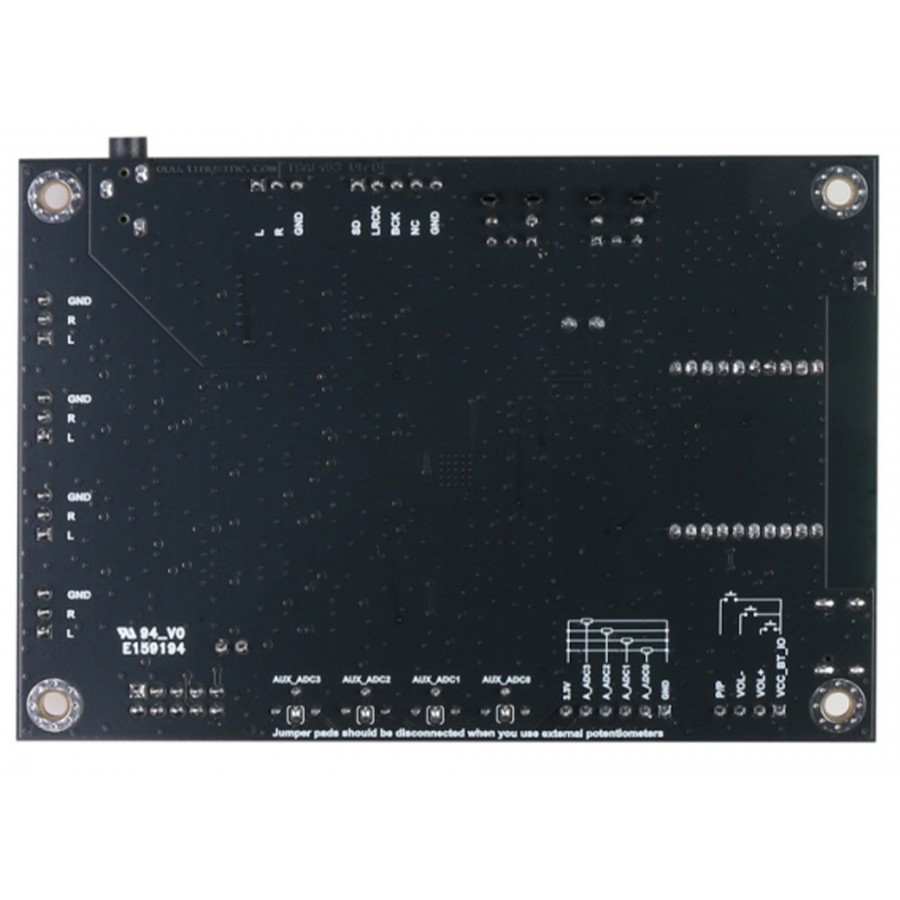
The TSA1453 module has clearly identified pins thanks to the silkscreen printing on the back of the printed circuit board, facilitating wiring and integration into a housing. A remote button kit for amplifiers can be connected to the port dedicated to external controls. These buttons offer exactly the same functions as those integrated on the board, allowing simple and effective remote control.
TinySine TSA1453B: port for external potentiometers
The TSA1453 is equipped with a port for connecting external potentiometers to adjust the master volume, bass, midrange, and treble. The analog inputs are distributed as follows: ADC0 for master volume, ADC1 for bass, ADC2 for midrange, and ADC3 for treble. The module accepts potentiometers with a value between 1 kΩ and 100 kΩ, with a recommended range of 5 kΩ to 20 kΩ. When using external potentiometers, it is essential to disconnect the solder pads on the back of the board, otherwise the ADC inputs may be damaged.
TinySine TSA1453B: DSP programming and management
The TSA1453 includes a dedicated port for DSP programming, offering a high degree of customization. By default, the DSP automatically detects the presence of a Bluetooth signal and a line input signal, with priority given to the Bluetooth source when it is active. In the absence of a Bluetooth signal, the module automatically switches to the line input. Advanced users can develop their own DSP program according to their specific needs and load this program using a SigmaDSP-compatible USBi JTAG programmer (sold separately), allowing for complete customization of the module's audio processing and routing.
We deliver all over France, and internationally.
To find out the amount of shipping costs, simply go to your cart once you have added the desired products.
To discover our different services and delivery options, click on the following logos :



No reviews at this time.

 English
  Français